Take Control of Your Daily Cleaning Operations
Managing a commercial cleaning business requires keeping track of dozens of moving parts, from active shifts to inventory needs. When information is scattered across different platforms, you lose the visibility needed to respond to daily challenges effectively.
The CleanTrack360 dashboard serves as your central command center, providing a real-time overview of your entire operation. By centralizing your data, you can stay informed about your team’s progress without having to manually check in at every location.
The Challenge of Managing Remote Teams
When you oversee multiple crews at various sites, maintaining consistency is a constant effort. Without a unified view, several common obstacles can slow your team down:
- Visibility gaps: Not knowing which team members are currently on the clock or which locations are currently being serviced.
- Communication delays: Difficulty in identifying pending tasks, such as supply requests or inspection follow-ups, before they become urgent issues.
- Administrative overhead: Spending too much time clicking through complex menus to access basic scheduling or staffing information.
How the CleanTrack360 Dashboard Works
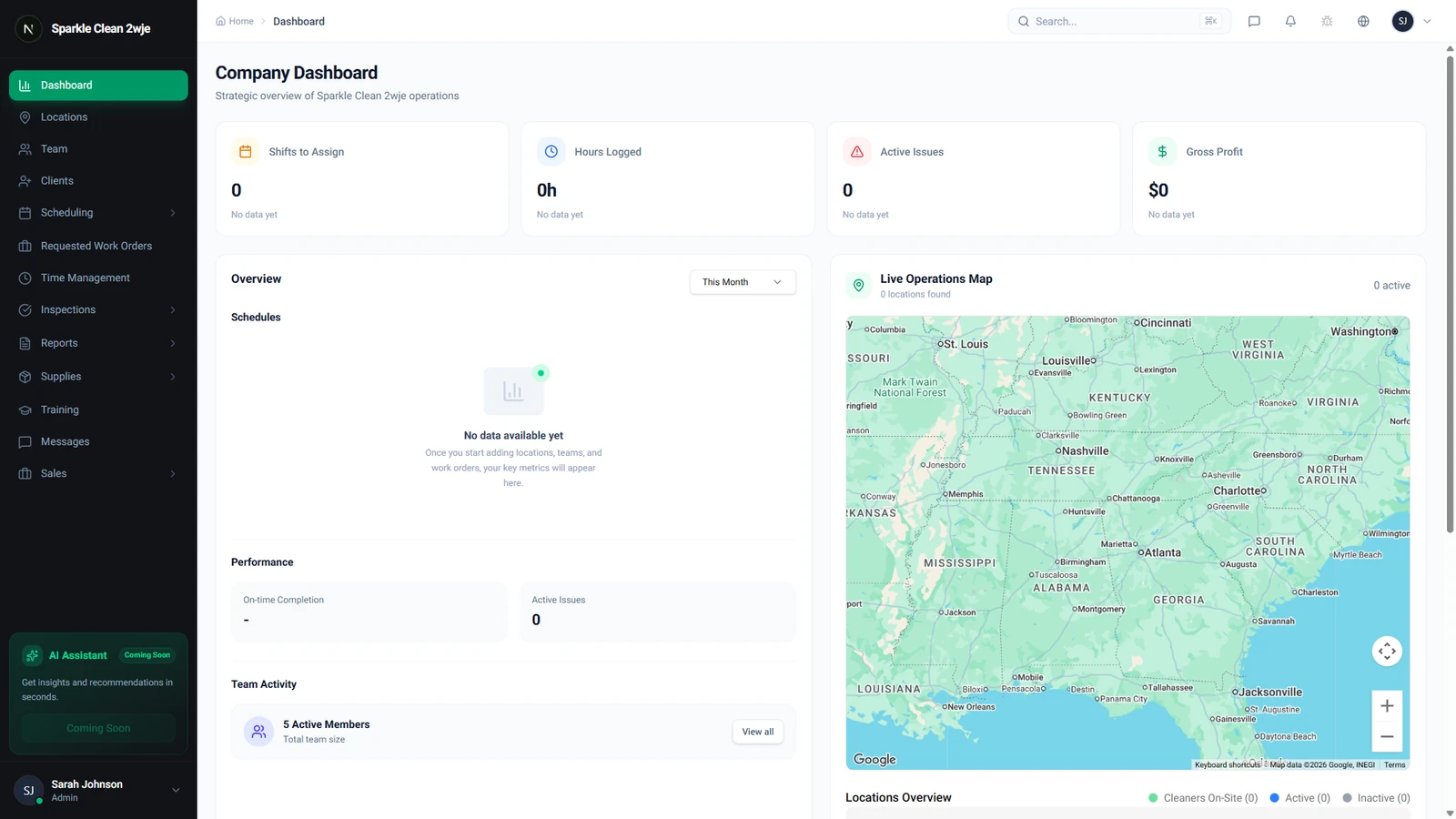
At-a-Glance Operational Overview
As soon as you log in, you are greeted by your dashboard. This view displays key metrics, including upcoming schedules, current team activity, active locations, and recent system notifications.
Real-Time Metrics and Statistics
The top section of your dashboard is dedicated to real-time performance tracking. Here, you can instantly monitor active schedules and the number of team members currently on shift.
This area also highlights critical operational items, such as the number of cleanings completed today and any pending inspections or outstanding requests for cleaning supplies.
Streamlining Actions
Efficiency relies on quick navigation. We have included action buttons directly on the dashboard that allow you to create a new schedule, add a team member, or view reports without needing to navigate through your sidebar menu.
Getting Started
You can begin using your dashboard immediately after logging into your CleanTrack360 account. Familiarize yourself with the layout to identify which metrics are most relevant to your daily tasks.
If you encounter any questions or need assistance while navigating the system, you can connect with our support team directly through the support section located in your dashboard.