Messages
Creating a Messaging Channel
Set up team communication channels.
Last updated August 1, 2026
Keep your team connected with organized messaging channels. 💬
1
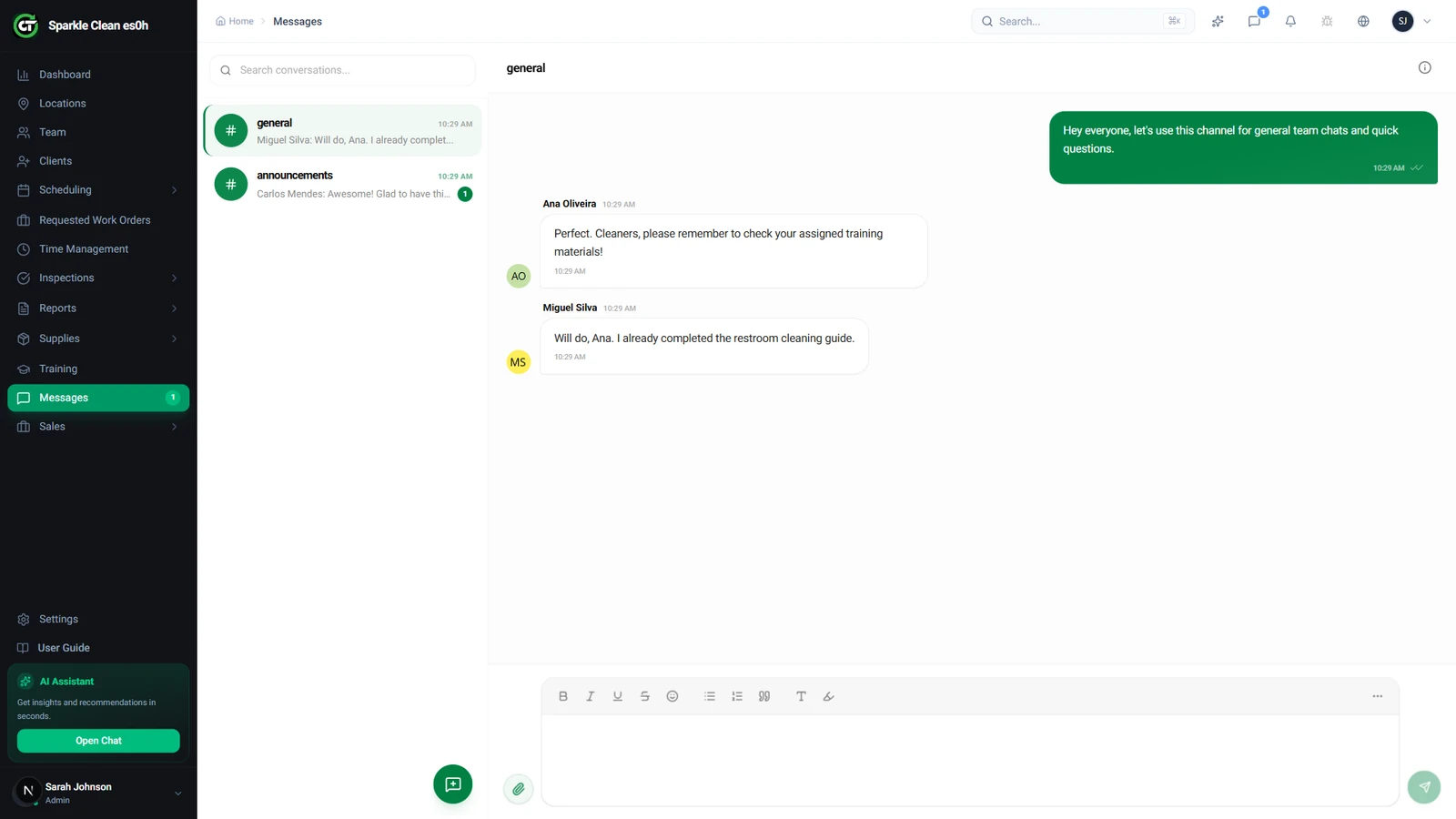
Open Messages
Click Messages in the sidebar. You'll see all messaging channels, group channels, direct messages, and location-based channels.
2
Create a Channel
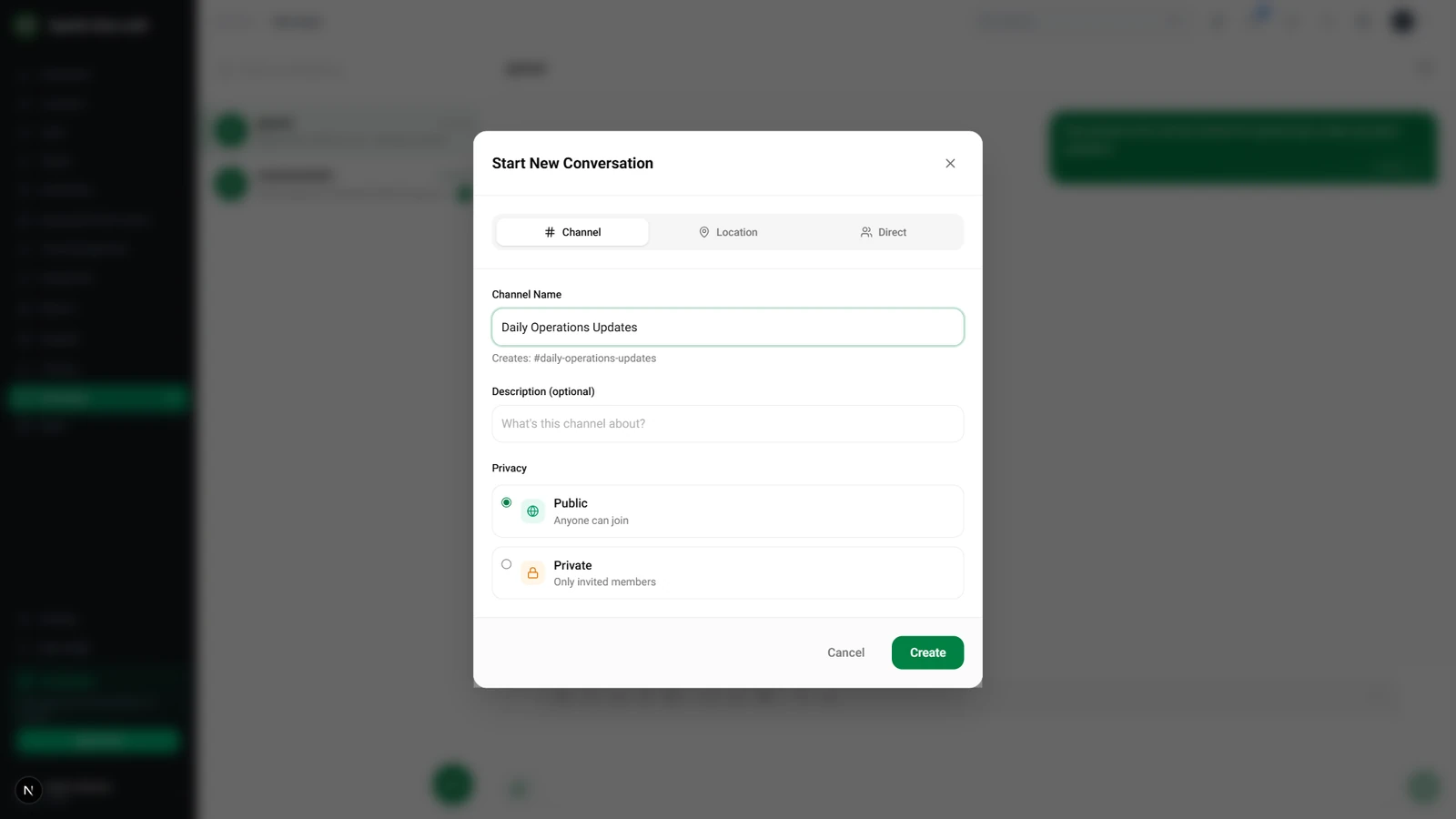
Click + New Channel, enter a name, and select members. Choose between Group, Direct Message, or Location-based types.
📋 Form Fields
| Field | Required | Description |
|---|---|---|
| Channel Name | ✅ Yes | Descriptive name. e.g. "Daily Operations Updates" |
| Members | ✅ Yes | Add team members. e.g. "Carlos, Ana, Miguel" |
| Type | ✅ Yes | Group, Direct Message, or Location-based. e.g. "Group" |
3
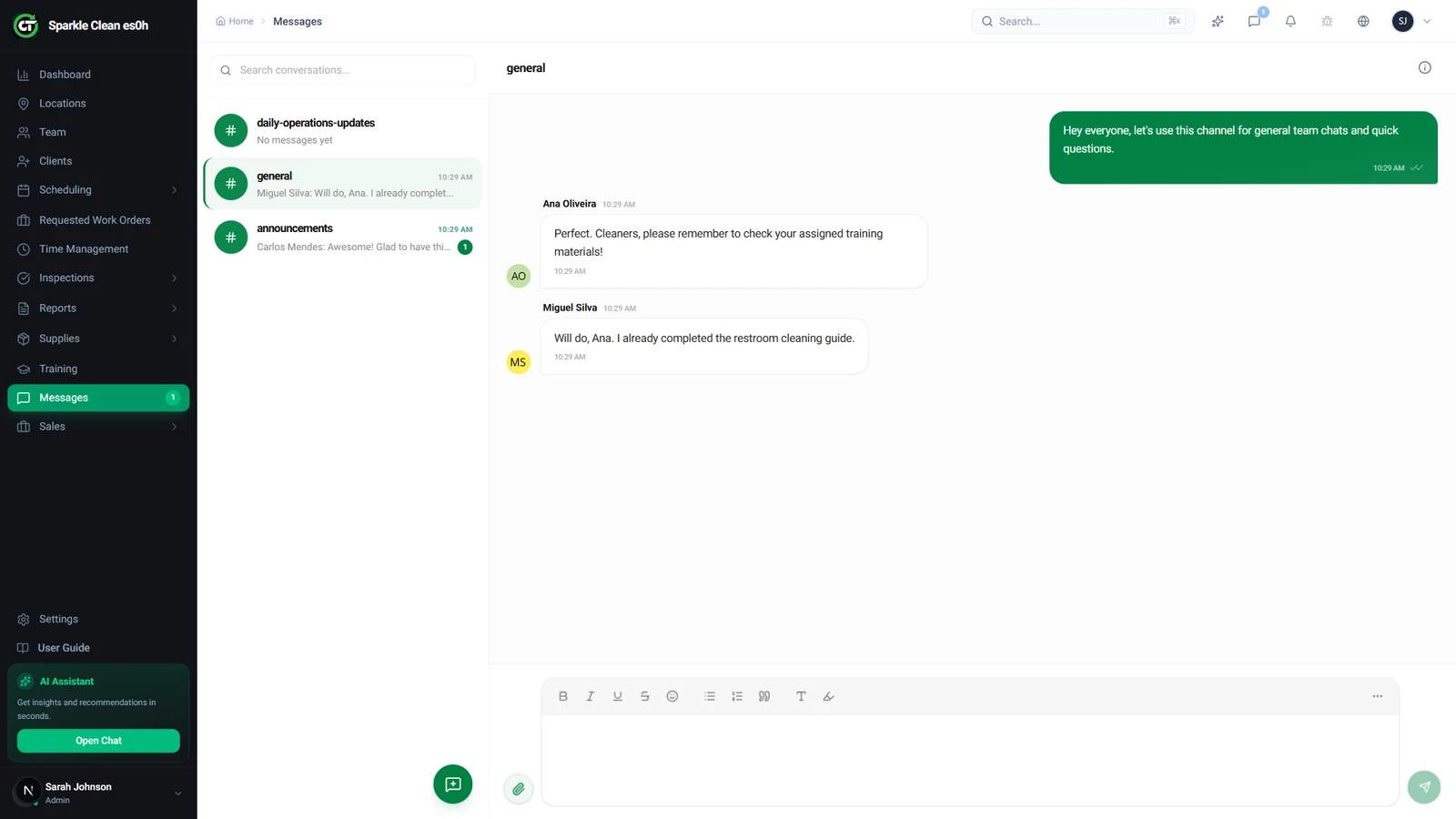
Channel Created
Click Create. Members are notified and can start messaging immediately.
🙌
Need help? If you have any questions or run into issues, reach out through the Support section in your dashboard.